Control Module
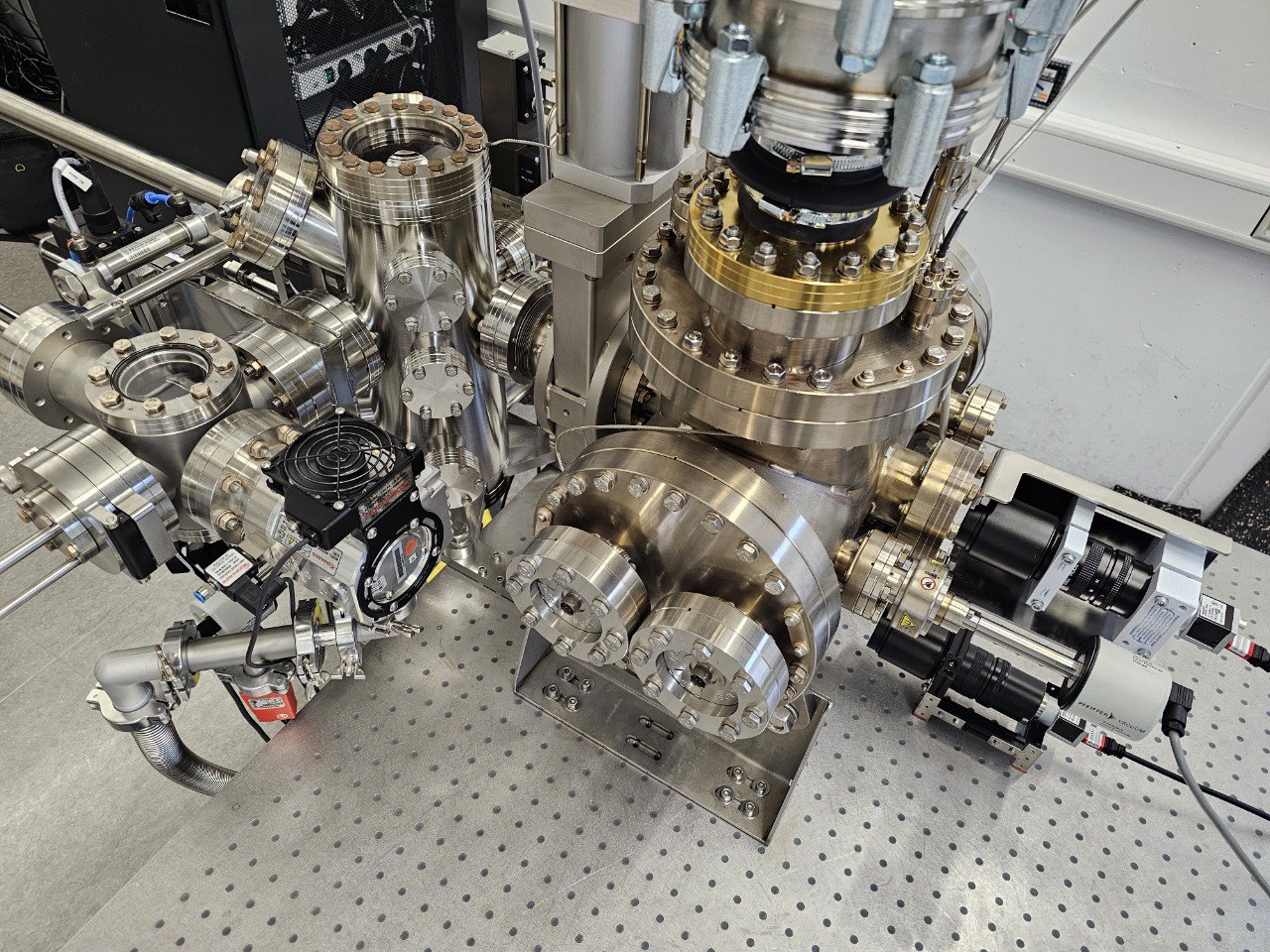
The pyccapt.control package provides instrument control, live monitoring, and experiment data acquisition workflows for open-source atom probe tomography systems.
Responsibilities
The control module is responsible for:
experiment orchestration and control loops
communication with detector and auxiliary hardware
GUI-based runtime operation and monitoring
synchronized shared state across cooperating processes
writing experiment metadata and acquisition streams
Calibration and reconstruction are implemented in pyccapt.calibration.
Runtime Architecture
The application runs as multiple processes, typically including:
main GUI process
experiment/control process
detector backend process (for example, Surface Concept, RoentDek, or DRS)
optional sub-GUI processes
Shared state is handled via pyccapt/control/core/share_variables.py.
Configuration
Control runtime configuration is loaded from pyccapt/config.toml.
supported format: TOML
device toggles should use
enabled/disabledlegacy
on/offvalues still work
Electrode labels used in the GUI are configured in pyccapt/control/electrode.toml.
Example:
[electrodes]
names = [
  "NiC1", # Nickel electrode
  "CuC1", # Copper electrode
  "NC",   # Not categorized
]
Electrode naming in the control workflow:
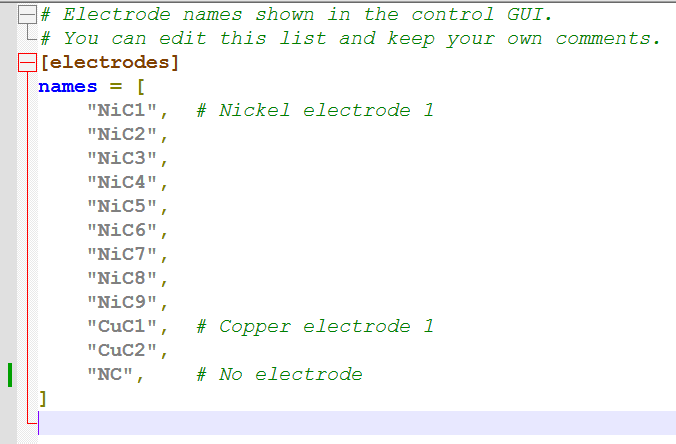
Use the electrode list to match the naming shown in the GUI and your lab workflow. For example, NiC1 refers to the nickel electrode and CuC1 refers to the copper electrode.
Startup Device Validation
Enabled devices are validated when an experiment is started.
If a required device cannot be opened, startup is blocked and the failure is reported in:
the main GUI warning area
terminal output
Access Overridenow asks for confirmation before it bypasses those checks.
To proceed without a disconnected device in the normal path, set that device to disabled in config.toml.
Data Output
Control-side HDF5 schema details are documented in Control_DATA_STRUCTURE.md.
Runtime logs are stored in:
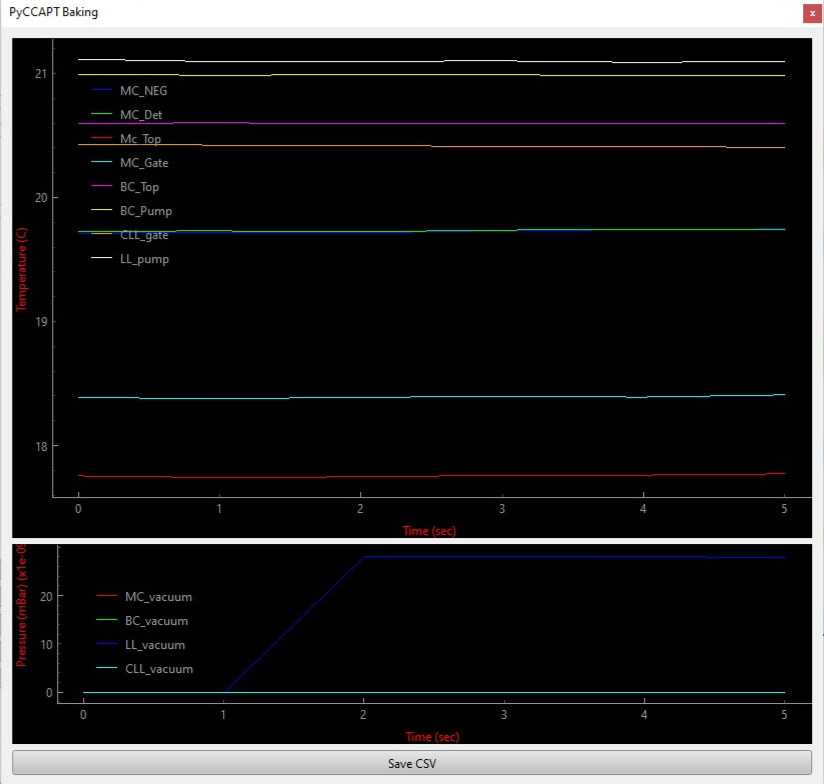
pyccapt/files/logs/vacuumpyccapt/files/logs/baking/<timestamp>
Experiment logs
Two log files are written for every experiment:
| File | Location | Content |
|---|---|---|
| GUI session log | <project_root>/files/logs/gui/gui_<YYYY-MM-DD>.log |
All processes, all experiments for that day |
| Per-experiment log | <exp_folder>/meta_data/apt.log |
Parameters, device state, stop reason |
When an experiment ends abnormally, search both files for ERROR, CRITICAL, Traceback, or hdf_creator.
How experiment data is written
The detector backend writes data incrementally into chunk files during the run:
<exp_folder>/
├── temp_data/
│   └── chunks/
│       ├── x_chunk_1.npy
│       ├── x_chunk_2.npy
│       ├── y_chunk_1.npy
│       └── ...            (one file per stem per chunk flush)
└── meta_data/
    └── apt.log
At the end of the run, hdf_creator.hdf_creator() reassembles all chunks into the final HDF5:
<exp_folder>/
└── <exp_name>.h5          (final output; written atomically via a .tmp rename)
The apt/* group (temperature, vacuum, timestamps) is held in RAM during the run and is not written to chunk files — it is only flushed when the final HDF5 is written.
Recovering a Missing HDF5 File
If the control PC crashed, the experiment was killed, or hdf_creator raised an exception, the final .h5 may be absent while temp_data/chunks/ still contains all the raw data.
Step 1 — check the logs
Look for the failure reason in:
<exp_folder>/meta_data/apt.log
<project_root>/files/logs/gui/gui_<date>.log
Step 2 — run the recovery script
scripts/recover_chunks_to_hdf5.py reassembles chunk files into a valid HDF5 file.
Run it on the control computer (requires numpy and h5py):
python scripts/recover_chunks_to_hdf5.py "D:\pyccapt\pyccapt\data\2512_Jun-10-2026_16-01_NiC1_C3"
Or copy the script into the experiment folder and run without arguments:
cd "D:\pyccapt\pyccapt\data\2512_Jun-10-2026_16-01_NiC1_C3"
python recover_chunks_to_hdf5.py
The script:
Discovers all chunk files under
temp_data/chunks/and flat fallback files undertemp_data/.Loads each stem, skipping zero-byte or corrupted chunks with a warning.
Reconciles unequal array lengths within each group (
dld/*,tdc/*) by truncating all arrays to the shortest present member and printing a report of any rows dropped.Reconstructs
apt/id,apt/num_events, andapt/num_raw_signalsfrom thestart_counterarrays.Zero-fills
apt/temperature,apt/experiment_chamber_vacuum, andapt/timestamps(not available in chunks; these fields are not used by the calibration pipeline).Prints the last 50 lines of
apt.logso the failure reason is visible without opening a separate terminal.Writes the output via an atomic
.tmp→ rename so the experiment folder is never left in a half-written state.
What is and is not recovered
| Group / dataset | Recovered from chunks? | Notes |
|---|---|---|
dld/x, y, t |
Yes | Primary calibration data |
dld/high_voltage, voltage_pulse, laser_pulse |
Yes | |
dld/start_counter |
Yes | Used to reconstruct apt/id |
tdc/* |
Yes | All six TDC datasets |
apt/id, num_events, num_raw_signals |
Yes (reconstructed) | Derived from start_counter |
apt/temperature |
No — zeroed | Held in RAM, not in chunks |
apt/experiment_chamber_vacuum |
No — zeroed | Held in RAM, not in chunks |
apt/timestamps |
No — linear sequence | Held in RAM, not in chunks |
The zeroed apt/* fields are not read by the calibration or reconstruction pipeline, so the recovered file is fully usable for all downstream analysis.
Edge cases handled by the script
| Situation | Behaviour |
|---|---|
| Stem entirely absent | Dataset omitted from output; warning printed |
| Zero-byte or unreadable chunk | Chunk skipped; remaining chunks in that stem still loaded |
| Dtype mismatch between chunks | Each chunk cast to the expected dtype with a warning |
Unequal lengths within dld/* or tdc/* |
All arrays truncated to shortest; rows dropped are reported |
Existing .h5 in the folder |
Interactive prompt before overwrite |
temp_data/ missing entirely |
Error with hint to check the logs |
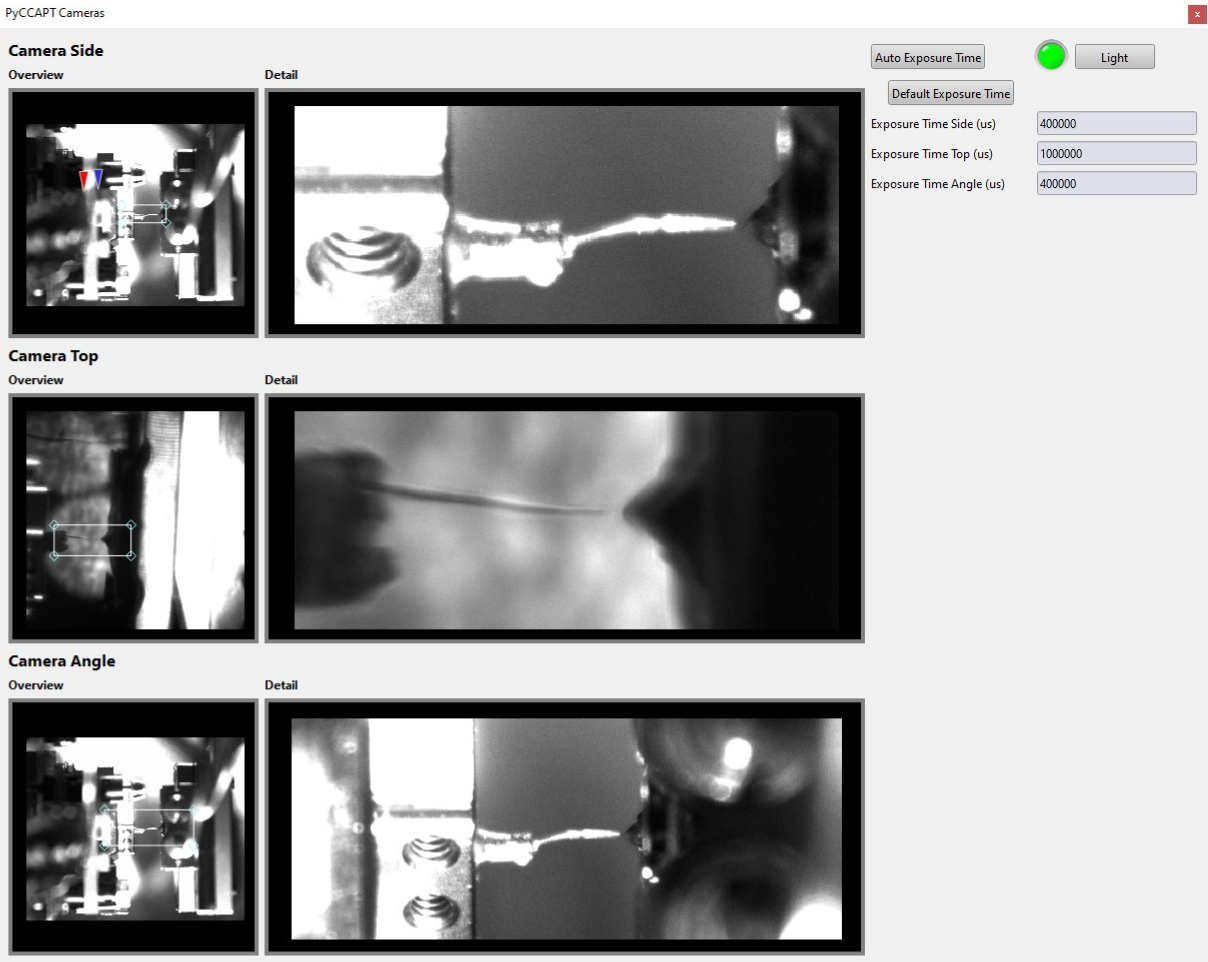
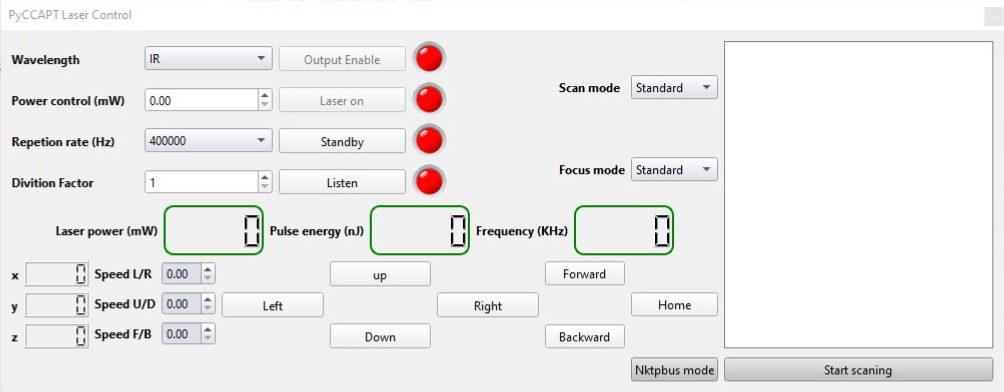
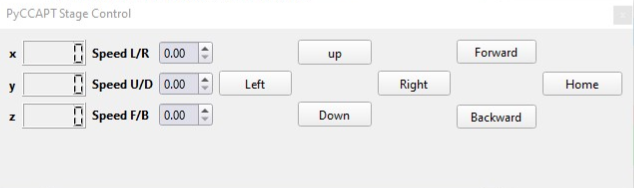
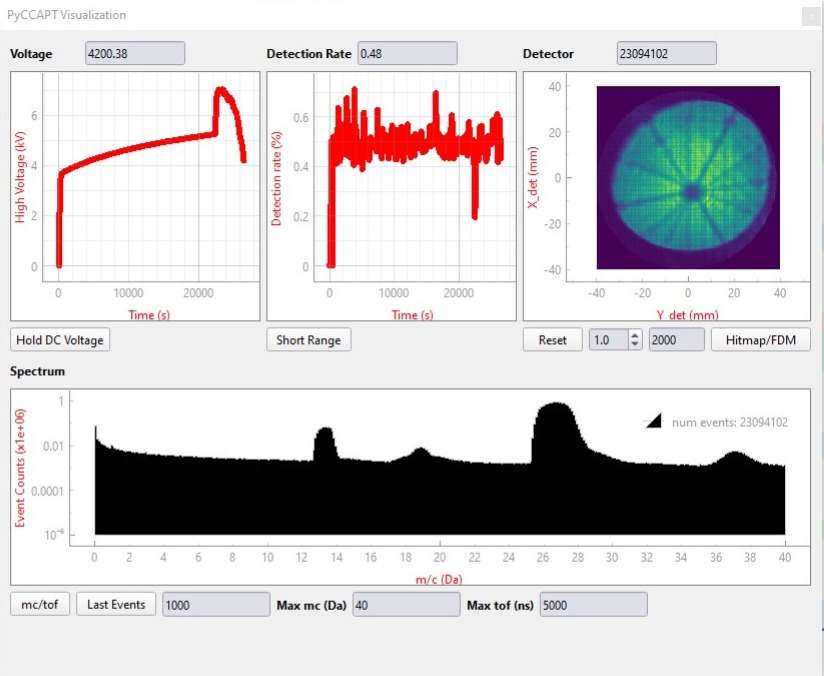
GUI Overview

The main window is the experiment entry point. Long error messages now use a smaller wrapped font so port and device warnings remain readable inside the GUI instead of being clipped.
Sub-GUI views:
Gates:

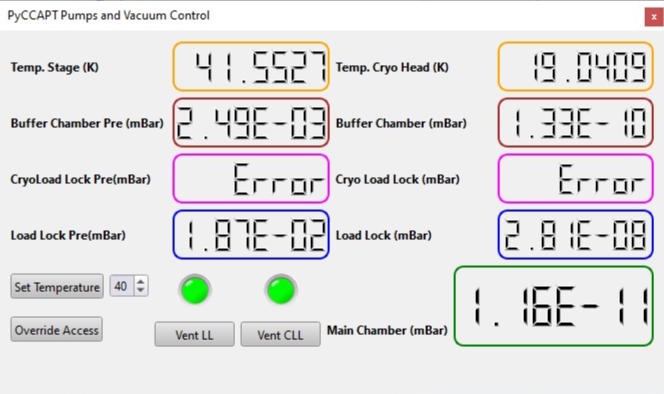
Pumps/Vacuum:
Cameras:
Laser:
Stage:
Visualization:
Baking: